azul crop
Overview
Warning
This command is experimental.
For example, the Azulero package may miss some required system components, some features may be non-portable, and the command was not tested on Windows at all.
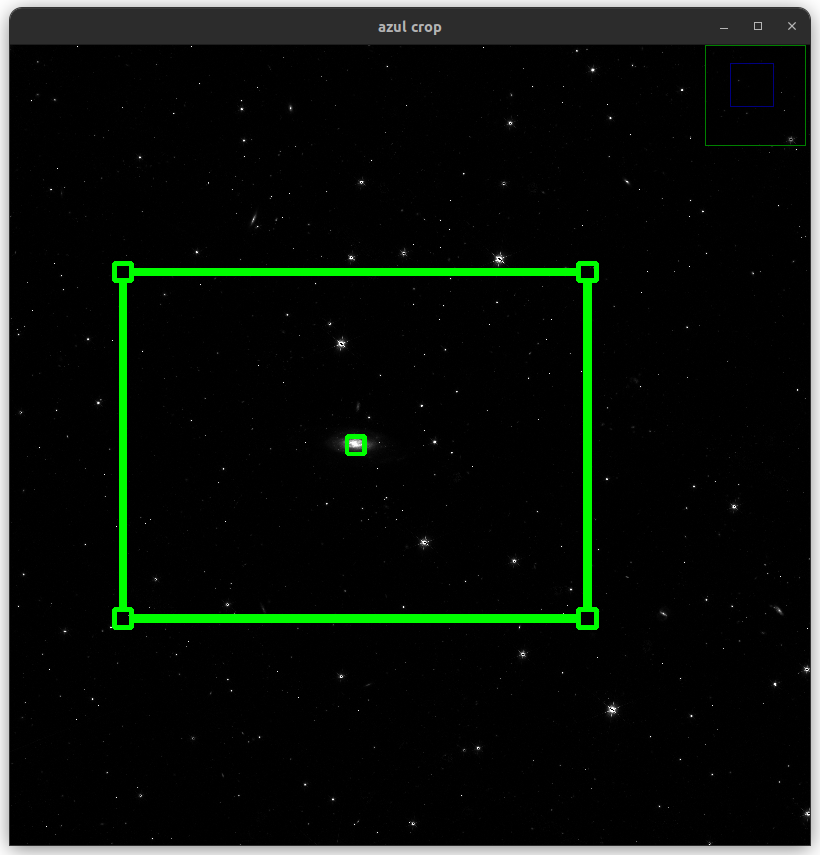
azul crop is a simple tool for selecting a rectangular image region.
As opposed to other commands, it opens a graphical user interface.
A VIS image is displayed along with a rectangle which can be adjusted to define the rendering region.
When the region is validated, the command returns the corresponding slicing.
Inputs
The input is a single workdir, in which the VIS channel is loaded.
Outputs
The output is the workdir suffixed with the slicing using NumPy syntax,
which is compatible with azul process input.
Using pipelining, the following line will trigger azul process as soon as the region is selected:
$ azul crop 102159776 | azul process
Display
Before displaying the image, it is downsampled by some integral factor (controlled by option --downsampled) for performance reasons,
and stretched according to some white point (-w) in absolute unit (no zero-point calibration is applied here, as opposed to azul process).
Selection
The region is edited by moving the edges, corners or center of the displayed rectangle.
Once the selection has been performed, the region bounds are rounded as a multiple of parameter --round.